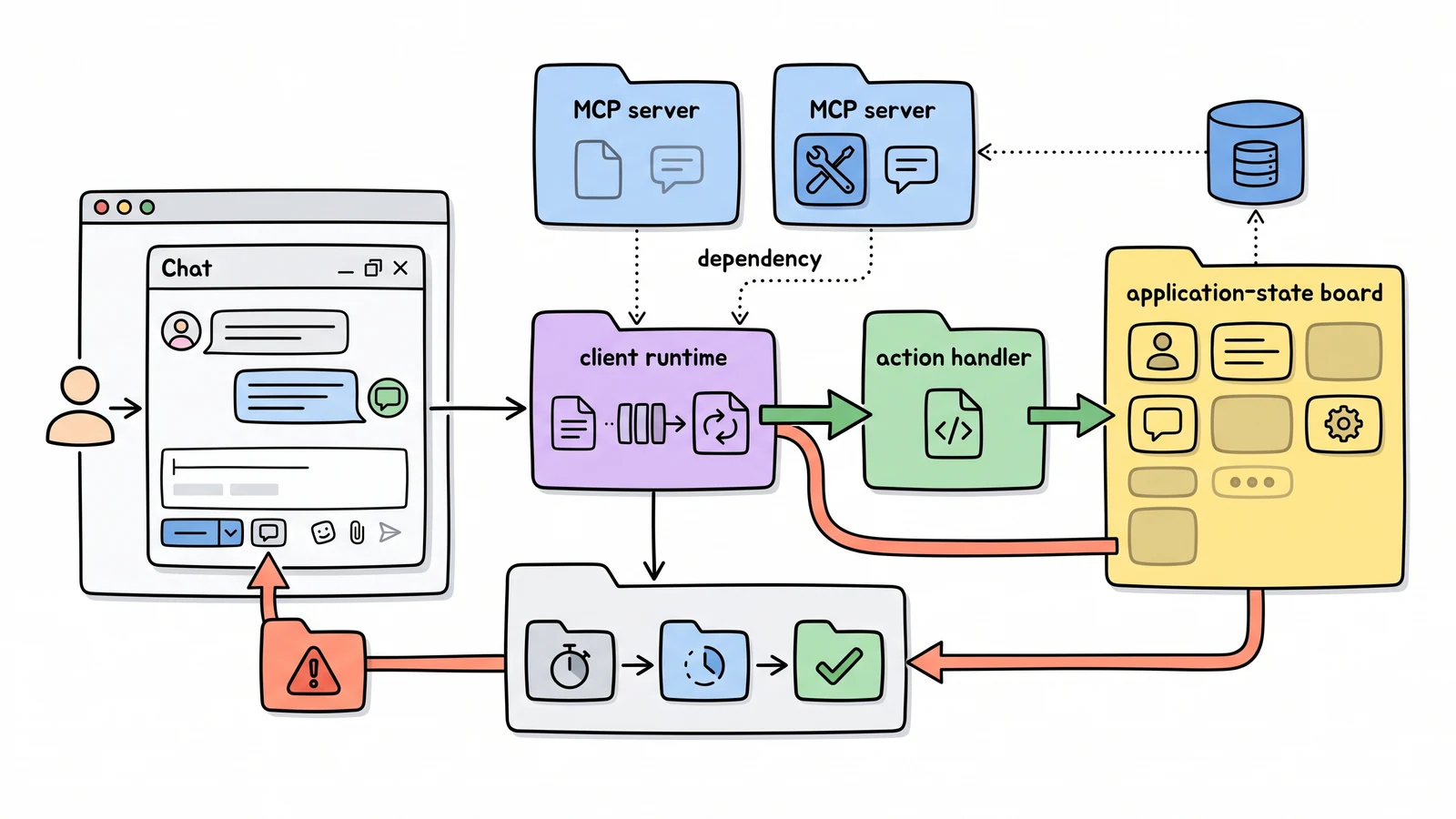
An MCP client inside a product needs more than a transport connection. It has to register servers, expose their tools to the model, connect calls to application actions, and show the user what is running. CopilotKit’s React tutorial provides that complete frontend path.
The shortest setup is npx copilotkit@latest init -m MCP. For a manual Next.js integration, the application installs @copilotkit/react-core and @copilotkit/react-ui, wraps the relevant interface in CopilotKit, and uses setMcpServers() to register an MCP endpoint.
CopilotChat supplies the conversational surface. Application actions can be registered with useCopilotAction, while a wildcard renderer captures MCP tool calls and turns their status, arguments, errors, and results into visible React components. In the example, tool handlers update the same todo state the user sees.
That distinction matters. A model calling an invisible remote tool is difficult to trust. A product-grade integration exposes the execution as interface state: which server is configured, which action was selected, whether it is still running, what changed, and where the user can stop or retry.
The tutorial also demonstrates a configuration modal for multiple servers and a cloned demo application. The architecture is useful beyond chat: MCP becomes the tool boundary, CopilotKit maps it into application actions, and React remains responsible for human-readable state and controls.
For New Runtime, this is the UI counterpart to stateless MCP infrastructure. Stateless servers simplify deployment, but the client still owns server selection, authorization, action rendering, and the human approval surface.